



How to transfer money from Orange money to Mtn mobile money is a question many orange Cameroon users ponder. Orange Cameroon is an essential player in Cameroon’s telecommunication Network. They and MTN Cameroon are the only mobile money players in the telecommunication sector. Orange Cameroon is known to have good coverage of network services in metropolitan towns. They have a huge fan base in the French-speaking regions of Cameroon. Before, it was difficult for MTN subscribers to receive money from a user of Orange money. Recently, Orange Cameroon has made it easy to transfer money from Orange money to MTN mobile money users. Below we shall look at how to transfer Orange money to MTN mobile money.

How to Transfer Orange Money to MTN Mobile Money (5 Steps)
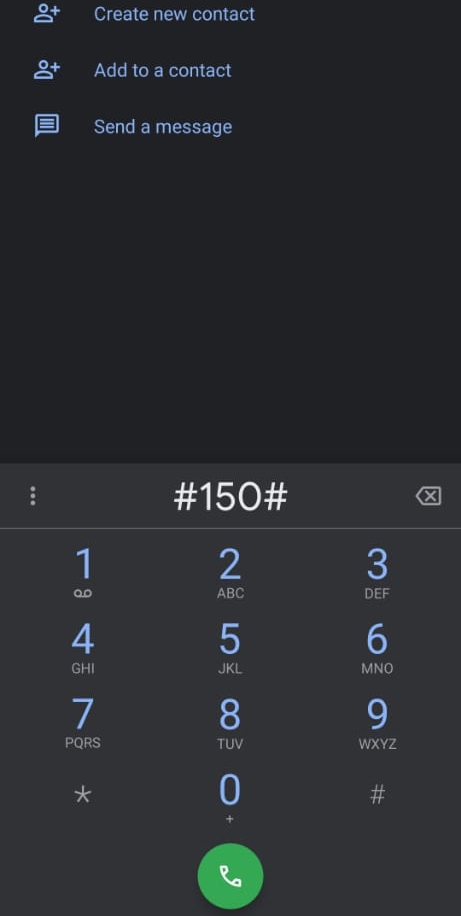
1. Dial #150#
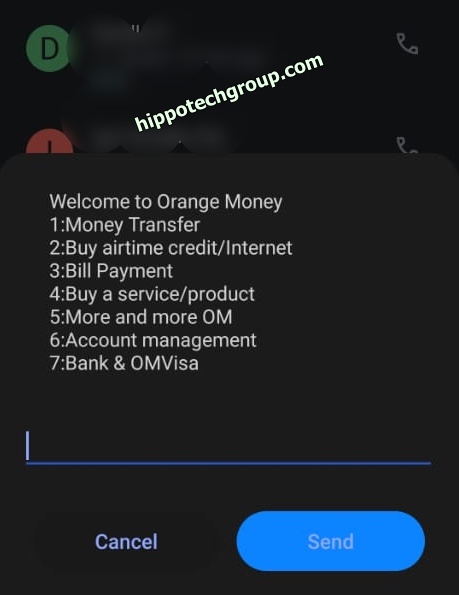
2. Select 1 (Money Transfer) and Reply
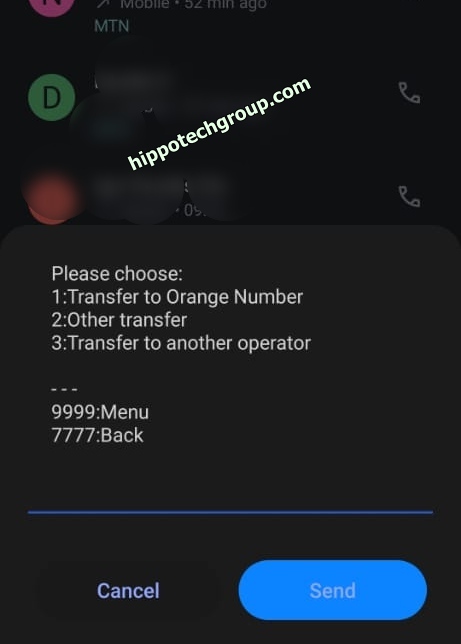
3. Select 3 (Transfer to another Operator) and Reply.
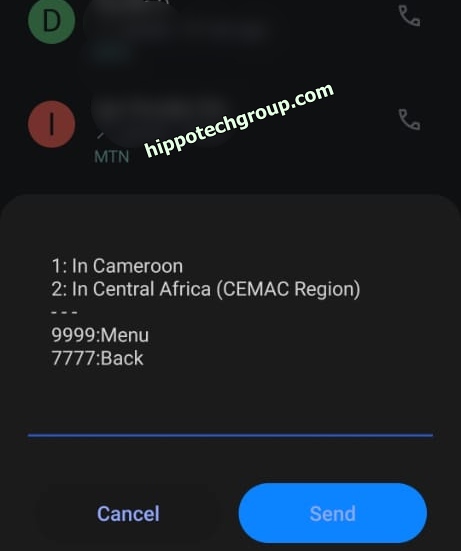
4. Select 1 (In Cameroon) and Reply.
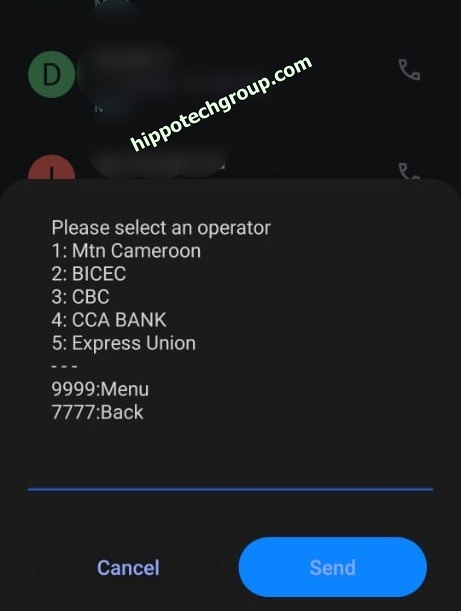
5. Select 1 (Mtn Cameroon) and Reply.
- After this, input the number you wish to transfer or send the money to.
- Input the amount and, lastly, your Orange money code.
With that done, you have successfully transferred money to an MTN mobile money user. This will be confirmed by an SMS.


